


How to Analyze Your CS2 Demos: The Complete Guide to Ranking Up
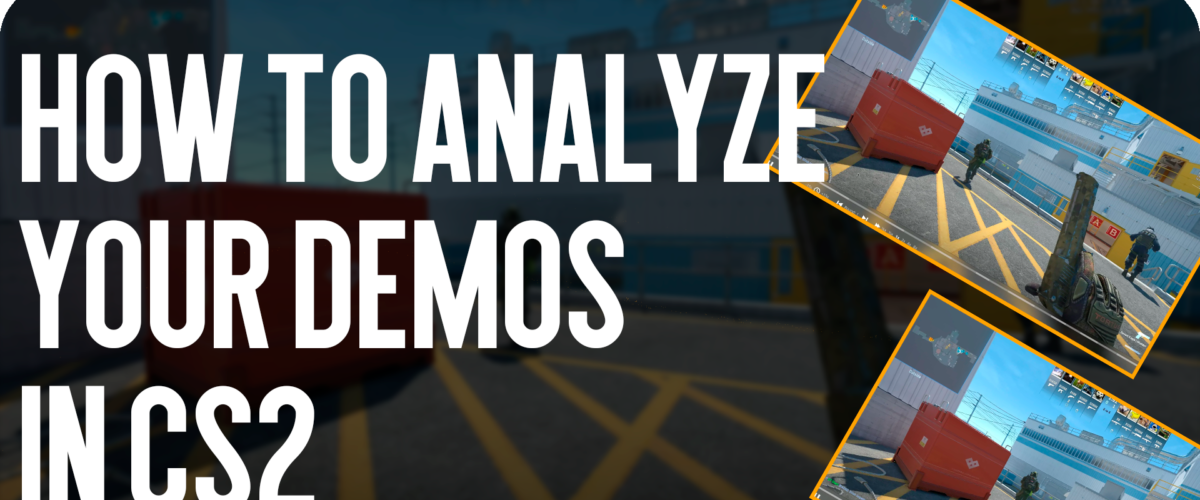
How to Analyze Your CS2 Demos: The Complete Guide to Ranking Up
In Valve’s competitive shooter, where every pixel and millisecond decides the round’s outcome, pure “aim” is insufficient for consistent ranking up. Here at Csgo-news.com, we constantly emphasize that Game Sense accounts for 60% of success. But how do you upgrade this sense after clocking in a thousand hours? The answer is definitive: CS2 match analysis. In this article, we’ll break down how to properly watch CS2 replays to stop being “fodder” and start dominating the server. This is your detailed guide to turning demos into real victories.
Why CS2 Match Analysis is Necessary: Unlocking Hidden Potential
Many players mistakenly believe watching demos is only for catching cheaters. In reality, it’s a powerful tool for self-improvement. When you’re in the game, your brain is occupied with a hundred processes: shooting, communication, recoil control. You don’t see the big picture. You fail to notice repeatedly making the same tactical error.
CS2 match analysis allows you to:
-
See yourself from an outside perspective. Understand how your actions look to the opponent.
-
Identify behavioral patterns. For instance, you always peek the same corner at the start of the round.
-
Study timings. Understand when the opponent typically occupies certain positions.
-
Compare your gameplay to professionals. Break down how the best players perform in your role.
Preparation for Viewing: Technical Aspects and the New Engine
Before diving into the review, you need to set up your software correctly. With the transition to Source 2, the CS2 replay system has changed. While console commands largely remain the same, the image quality and camera control options have significantly improved.
First, ensure demo recording is enabled. In the console, type tv_record 1 (usually enabled by default on Valve servers, but useful to check for your local practice). Demo files themselves are stored in the game\csgo\replays folder.
For convenient viewing, we recommend using specific binds for fast-forwarding. For example:
-
bind "F3" "demo_timescale 0"(Pause) -
bind "F4" "demo_timescale 1"(Normal Speed) -
bind "F5" "demo_timescale 4"(Fast Forward) -
bind "F6" "demo_timescale 10"(Super Fast Forward to skip “garbage” rounds)
Do not attempt to watch an entire demo from start to finish at 1x speed. It’s a waste of time. Use fast-forward for buy moments and map rotations.
Three Stages of Deep CS2 Replay Analysis
To make the analysis effective, it must be structured. Don’t watch everything. Divide the process into three key stages. Start with yourself, then move to the team, and finally, the global picture.
Stage #1: Individual Analysis (Your Gameplay)
Turn on first-person view only for yourself. Watch every round, asking yourself uncomfortable questions.
Positioning and Angle Selection: You’re playing on “A Site” (Inferno). You died. Ask yourself: why was I standing exactly here? Did I have information about where the opponent was? Can I stay alive if I give a “miss”?
Often, players die in open spaces without the ability to retreat.
Utility Usage: Watch your smokes and flashes. How often do you throw them uselessly? Did you blind your teammate? Did you correctly cut off the opponent’s vision?
Example: You throw a molotov at “Banana” on Inferno, but it lands too deep, leaving a gap for the enemy to pass.
Movement and Aim: Pay attention to how you move. Do you make a “wide peek”? How good is your recoil control in a key moment?
Player reviews often note that watching their own moments from the third person opens their eyes to errors in positioning: “Turns out I was sticking halfway out of cover when I got killed.”
Stage #2: Communication and Macro-Play (Your Team)
Enable x-ray mode and third-person camera. This is key to understanding team coordination.
Rotation and Support: How quickly does your team react to information? If three players push “A Site,” when does the “lurker” on “B Site” begin rotating? Or does he continue sitting idle when the round is already lost?
Analysis shows teams often delay rotations, leaving one site empty.
Information Usage: Look at your team’s actions at the moment of contact. Who makes the “call”? How do others react? Often, a player sees two enemies pushing, but the team continues playing passively, failing to use the information gained.
Trade Fragging: A crucial element. If you get killed, where is your teammate at that moment? Can he immediately trade the player who killed you? Good CS2 match analysis shows that in weak teams, players often run in one by one, giving away rounds for free.
Stage #3: Studying the Opponent and “Game Sense”
Now for the exciting part. Switch to first-person camera on the key opponent player who caused you the most trouble.
Reading Your Gameplay: Understand why the opponent constantly killed you at the start of the round. Perhaps he listens for your footsteps when you approach a certain zone? Or do you have a predictable habit of jumping on the same box every time?
Thanks to demo reviews, it often becomes obvious that you play too predictably, and opponents simply catch you in the back.
Timing and Risk Usage: Watch how opponents occupy key points on the map. At what moment do they use their grenades? Do they play aggressively or passively wait for mistakes?
Example: On Ancient, the opponent consistently pushes “Mid” at 1:55. Thus, in the next match, you will be ready for this rush.
CS2 Match Analysis: Tools for Advanced Players
Besides the standard in-game player, there are third-party services that facilitate CS2 replay analysis. One of the most popular is Leetify. This service automatically parses your demos and provides statistics on key parameters: shooting accuracy, grenade effectiveness, reaction time, positioning. It’s a great way to get hard numbers without needing to rewatch recordings for hours.
For deeper analysis, you can use the Scope.gg platform, which offers advanced heatmaps, position analysis, and even helps train smokes based on your errors in demos.
The Forcedrop.vip platform offers excellent opportunities for those who want to diversify their arsenal with vibrant skins without risking their in-game budget, allowing them to focus on tactical growth.
Frequently Asked Questions (FAQ)
How much time should I spend on CS2 match analysis?
You don’t need to review every game. One or two demos a day is enough. This is sufficient to find and fix 3-5 key errors.
What if I don’t have time to watch full demos?
Use third-party services like Leetify that automatically collect statistics. Watch only highlights or key moments of rounds where you died.
How do I know I’ve improved thanks to CS2 replay analysis?
You’ll stop dying in stupid situations, your “aim” will become more purposeful, and the number of wins in key rounds will increase. You’ll start “reading” the opponent’s game.
Conclusion
CS2 match analysis isn’t magic; it’s hard but rewarding work. It’s what separates the amateur from the professional. Ignoring this tool is the biggest mistake on the path to a high level of play. Yes, it’s boring at first. Yes, it takes time. But the results are worth it. Put the knowledge gained into practice, follow updates on Csgo-news.com, study tactical nuances alongside the official Counter-Strike 2 source and your MMR.





[…] 👉 Want to know more? Read here […]